
Robotics for Kids: A Simple Guide to Learning Technology
In a world full of screens, children often spend hours consuming content without creating anything meaningful. Robotics Programming for Kids turns that screen time into a launchpad for independence, critical thinking, and early career skills.
Through Icon School robotics for kids classes, your child learns to build, code, and innovate, transforming curiosity into real-world capabilities. Keep reading to discover how these programs can shape your child’s future and unlock their full potential.
Why Robotics Programming for Kids Matters in Today’s World
Today’s world demands more than screen time, the next generation needs creative problem‑solvers who build rather than just browse. Robotics for kids offers a gateway to this future by combining fun and engineering from day one.
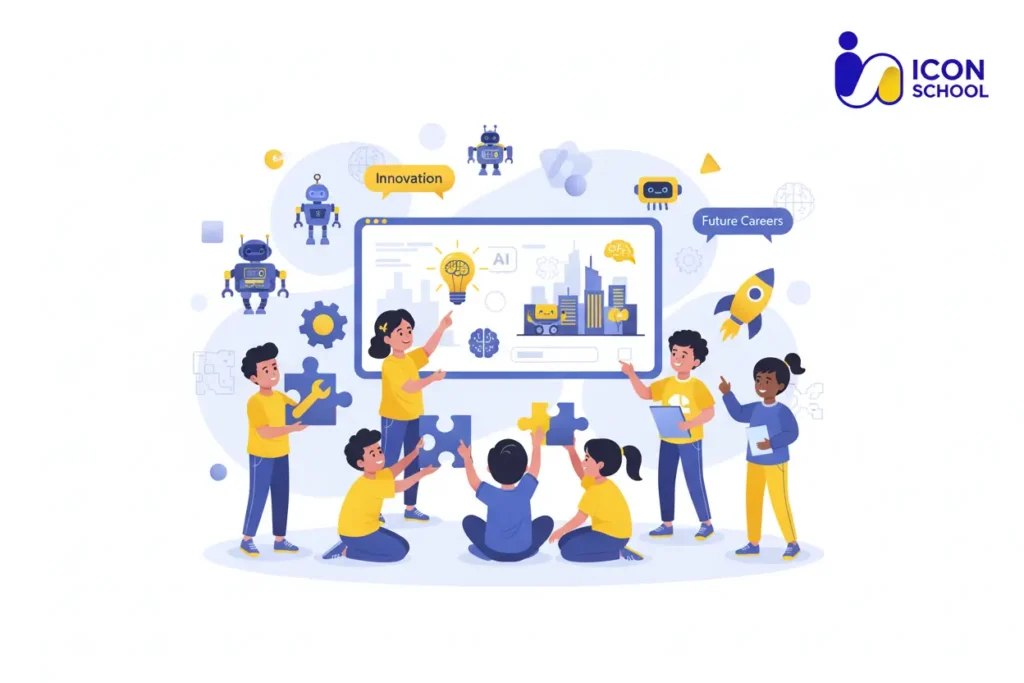
Technological Evolution and Future Requirements
Robotics for kids classes respond to rapid tech shifts and evolving job markets. Below is how:
- Advanced automation demand: With robotics and AI expanding across industries, children exposed early to these fields gain an advantage.
- STEM skills gap: Educational robotics programs help bridge the widening gap in science, technology, engineering, and mathematics competencies.
- Evolution from user to creator: Robotics for kids shifts the role of children from passive screen consumers to active innovators, building real-world applications.
- Lifelong career preparation: Early exposure to robotics learning sets a foundation for future careers in tech, engineering, and beyond.
- Adaptability to new tech: Children trained in robotics develop flexibility in learning emerging technologies and software tools.
- Digital literacy development: Robotics programs improve understanding of coding languages, sensors, and mechanics, forming a strong digital foundation.
Developing Life Skills Through Robotics
Robotics for kids isn’t just about machines, it supports essential life and mindset skills. Consider:
- Hands‑on learning fosters persistence: Kids learn through trial, error, and iteration.
- Computational thinking builds logic: Children start understanding how to break problems into steps via robotics kits.
- Teamwork and communication improve: Group robotics projects teach collaboration and sharing of ideas.
- Creativity blossoms: When children design robots, they engage in open‑ended exploration and innovation.
- Confidence‑building through creation: Completing a robotics project gives children a tangible sense of achievement.
- Problem-solving under real constraints: Kids learn to adapt designs and strategies when robots face real-world limitations, reinforcing critical thinking.
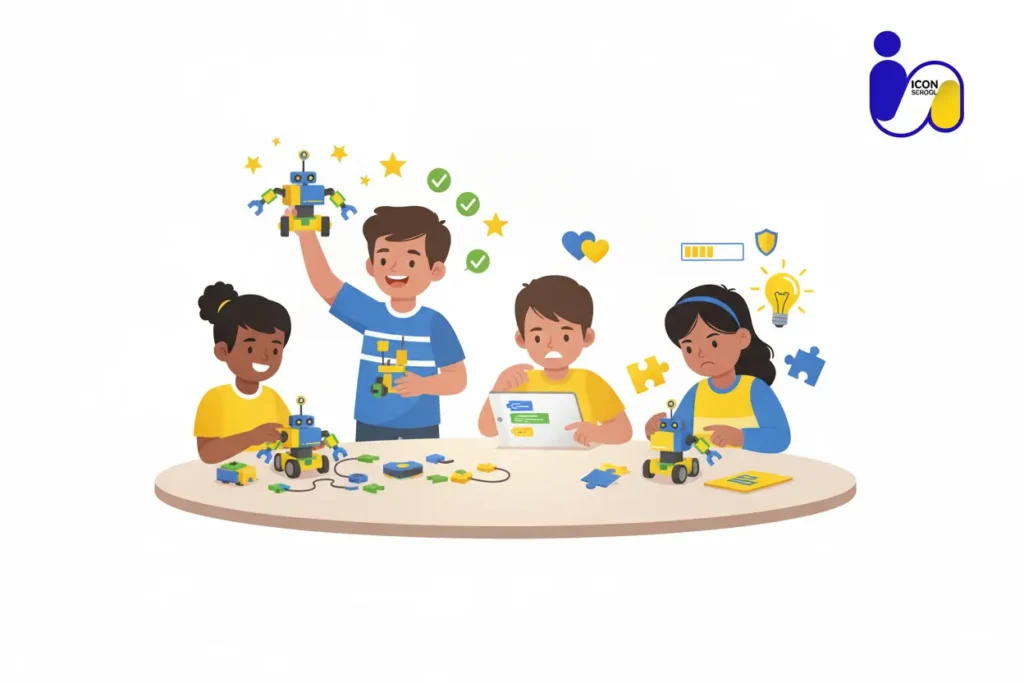
Benefits of Robotics Learning for Children
Robotics for kids transforms screen time into hands-on learning that builds essential skills for the future. By engaging with coding, engineering, and problem-solving from an early age, children gain a head start in STEM education and real-world creativity.
Explore the sections below to uncover how robotics learning develops logic, confidence, and problem-solving abilities that will shape your child’s success.
Developing Logical and Creative Thinking
Robotics learning equips children with thinking patterns that blend logic and imagination. Consider these benefits:
- Breaking problems into smaller parts: Children learn to deconstruct a task into steps when they program robots.
- Designing solutions from scratch: Robotics for kids encourages children to ideate and build unique robots, letting creativity flourish.
- Learning by doing—hands‑on exploration: Instead of passive screen time, kids actively engage, which strengthens both logical and creative faculties.
- Visual to text‑based programming transition: Many robotics for kids classes begin with block‑coding and gradually introduce text‑based logic, which refines thinking skills.
- Building mental models of systems: As they create robots, children internalize how sensors, motors, and code interact, developing engineering concepts early.
- Encouraging divergent thinking: Robotics challenges don’t always have one “right answer”—this ambiguity fosters creative thinking and flexible logic.
Building Confidence and Patience
When children enrol in structured robotics for kids programs, they encounter both successes and setbacks, an invaluable combination for life skills.
- Visible achievement with robots they build: When a child’s creation works, they experience tangible success, boosting self-confidence.
- Learning to fail and try again: Robotics projects often require iteration; children learn patience by debugging and improving their designs.
- Expanding comfort with technology: Rather than shy away from tech, kids gain hands-on experience, feeling capable and ready.
- Self‑efficacy in STEM contexts: Participation in robotics gives children the belief “I can do this” in scientific and engineering domains.
- Time‑on‑task endurance: Robotics challenges require sustained focus over several sessions, this builds patience and long-term engagement.
- Empowerment through creation: When children see the result of their work (a functioning robot), they feel empowered not just consumers of tech but creators.
Enhancing Problem‑Solving Skills
Robotics is essentially problem solving in motion: designing, programming, testing, and refining. It delivers:
- Real‑world challenge simulation: Kids face tasks like “make your robot navigate a maze” which mimic real engineering problems.
- Iterative refinement process: Projects encourage improvement through cycles, teaching children to evaluate and adjust their approach.
- Multi‑disciplinary thinking: Robotics combines mechanics, electronics, programming—children learn cross-domain problem-solving.
- Decision‑making under constraints: Limited time, materials, or code complexity forces children to prioritize and strategize key problem-solving skills.
- Debugging mindset: When robots don’t work, children learn to trace back issues, fix them, and test again effectively learning how to troubleshoot.
- Transferable to any domain: These problem-solving habits extend beyond robotics—into school tasks, everyday life, and future work.
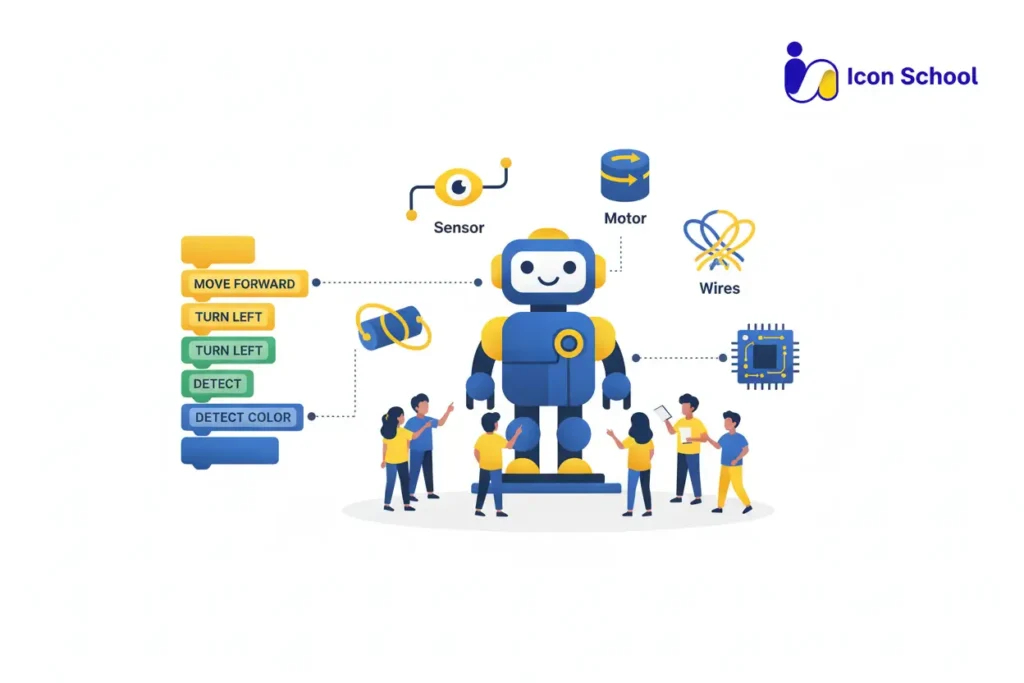
Robotics Fundamentals for Kids
Mastering the basics of robotics for kids means understanding the building blocks—both the programming and the hardware. Let’s break down what each child should grasp early on.
What is Robotics Programming?
Robotics programming teaches children how to write instructions that make a physical machine act, think, and solve problems. Consider:
- Translating ideas into commands: Kids learn to turn their intention (e.g., “make the robot move forward”) into line‑by‑line instructions the robot follows.
- Visual programming for early learners: Block‑based tools allow young children to drag and drop logic pieces rather than type complex syntax.
- Gradual transition to text‑based codes: As competence grows, children move from visual blocks to languages like Python and Lua that are used in real robotics.
- Embedding logic and loop thinking: Through robotics classes kids encounter loops, conditionals, and sequence naturally, which strengthens their computational thinking.
- Immediate feedback loop: One small coding change and the robot behaves differently, this concrete response helps make abstract programming concepts clear.
- Problem‑solving mindset: When a robot doesn’t behave as expected, children learn to debug, test, refine core practices in programming.
Basic Robot Components
A robot is just a combination of parts working together understanding these helps children grasp how programming links to real-world action. Consider:
- Motors and actuators: These are the parts that move the robot wheels turn, arms lift, servos rotate.
- Sensors: Devices that perceive the environment (e.g., ultrasonic, infrared, touch) so the robot can “feel” and respond.
- Controller or micro‑controller: Acts as the brain processing inputs from sensors and executing code to control actuators.
- Power supply: Batteries or power sources that enable all components to function are important to understand when kids build robots.
- Structural frame (chassis): The physical body of the robot wheels, motors, sensors all mount here, teaching kids engineering basics.
- Actuators and end‑effectors: The “hands” or tools of the robot (grippers, arms, wheels) enabling interaction with the world.
Age‑Appropriate Programming Languages
Choosing the right programming language for a child depends on their age, experience, and the complexity of the project. Below is what works best:
- Ages 5‑8 (Beginners): Use visual block‑based platforms with Icon School, ideal for introducing sequences and logic without worry about syntax.
- Ages 8‑12 (Intermediate): Introduce hybrid platforms that support both blocks and simple text with Icon School – children begin to see actual code.
- Ages 12+ (Advanced Learners): Move to standard text‑based languages (Python, Java, Lua) and deeper robotics kits provided by Icon School that include sensors, wiring, and real-world functions.
- Transition clarity: Kids should feel confident in one stage before moving up this avoids frustration and builds mastery.
- Real‑world relevance: Languages like Python and Lua are used by professionals starting early gives kids a head-start in real robotics environments.
- Platform flexibility: Many Icon School kits allow switching from visual to text-based code within the same platform great for long-term learning.
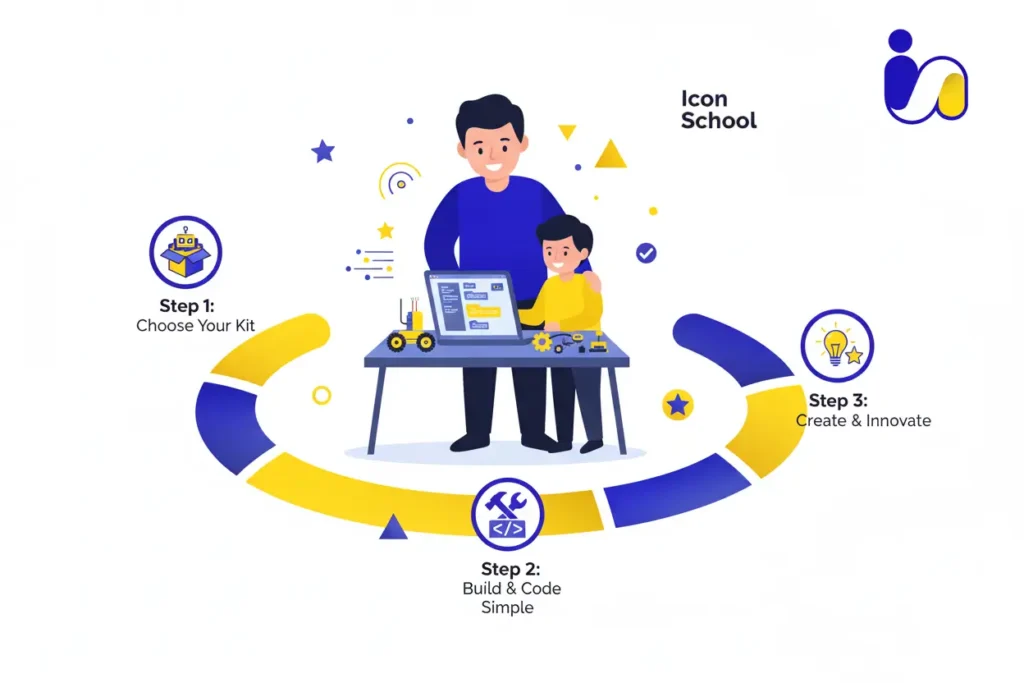
How to Start Your Child’s Robotics Journey
Launching your child into robotics for kids is more than enrolling them in a class, it’s about building a mindset of creativity, logic, and problem-solving from day one. By carefully choosing the right tools, projects, and progression, you can turn curiosity into real skills that last a lifetime.
Choosing the Right Learning Platform
The foundation of your child’s robotics journey is the platform they learn on. Picking the right one ensures engagement and growth. Consider:
- Age-appropriate kits: Kits match different age groups and offer hands-on experience.
- Online vs. in-person classes: provides interactive online classes and physical labs for practical exposure.
- Visual programming support: For beginners, Icon School supports drag-and-drop coding to help kids understand logic without syntax frustration.
- Flexibility to progress: Choose programs that scale from beginner to advanced, allowing children to transition to Python or text-based coding seamlessly.
- Interactive feedback: Programs providing immediate robot response to code help kids learn cause-effect and debugging skills quickly.
- Supportive community & resources: Icon School tutorials, forums, and parent guides ensure children receive guidance and motivation.
Starting with Simple Projects
Beginning with simple, tangible projects is key to building confidence and understanding.
- Single-task robots: Start with robots performing one function like moving forward or following a line to keep early successes manageable.
- Hands-on kits: Kits with pre-built components allow children to assemble, program, and see results immediately.
- Short project cycles: Projects that can be completed in one or two sessions maintain engagement and give a sense of accomplishment.
- Introduce sensors gradually: Start with simple sensors (light, touch) before adding complexity, helping children understand cause-effect step by step.
- Encourage creativity: Even simple robots can be customized with decorations or extra features, fostering both artistic and technical skills.
- Celebrate small wins: A functioning robot, no matter how basic, reinforces confidence and motivates continued learning.
Progressive Difficulty
Once foundational skills are set, gradually increasing complexity ensures steady growth without overwhelming your child.
- Multi-task robots: Move from single-task to robots performing sequences, like obstacle navigation or line-following with decision points.
- Integrate coding languages: Introduce Python or Lua gradually, encouraging text-based coding while still supporting visual blocks.
- Complex sensors and actuators: Add distance, light, or touch sensors and allow children to combine them for intelligent responses.
- Problem-solving challenges: Encourage children to debug, optimize, and iterate on projects, enhancing resilience and critical thinking.
- Collaborative projects: Introduce team-based tasks to develop communication and cooperation alongside technical skills.
- STEM integration: Link robotics projects to math, physics, and engineering concepts to deepen learning and real-world application.
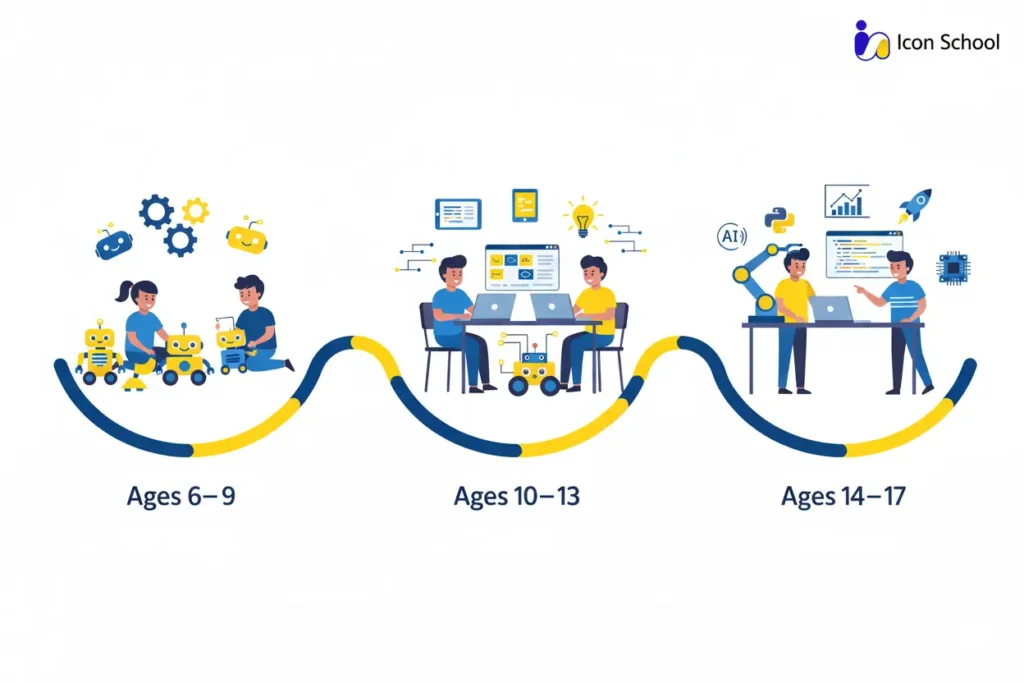
Age Groups and Robotics Education
Understanding age-specific approaches to robotics for kids ensures that children gain maximum learning and engagement without frustration. Each stage focuses on cognitive abilities, attention span, and creative potential, setting a foundation for lifelong STEM skills.
Children Ages 6–9 Years
At this stage, kids are naturally curious but need tangible, playful learning. Robotics education emphasizes exploration and discovery.
- Visual programming tools: Icon School introduces block-based logic without typing code.
- Simple assembly projects: Pre-designed kits with clear instructions teach basic mechanical skills.
- Immediate rewards: Robots responding to simple commands motivate and sustain attention.
- Fundamental STEM concepts: Kids learn basic physics, motion, and cause-effect relationships while playing.
- Encouraging creativity: Simple decoration and customization exercises integrate art and engineering.
- Short, manageable projects: Projects designed to be completed in 30–45 minutes keep focus and provide a sense of achievement.
Children Ages 10–13 Years
This age group can handle more complexity and problem-solving. Robotics education builds confidence in logical thinking and coding skills.
- Hybrid programming: Introduce both visual and basic text-based coding for more depth.
- Advanced sensor integration: Kids learn how robots can sense light, distance, or touch and react accordingly.
- Team projects: Encourage collaboration and communication while solving challenges.
- Problem-solving and debugging: Projects now include trial-and-error learning to instill resilience.
- Project-based competitions: Encourage participation in small contests to boost confidence and motivation.
- Integrating math and engineering concepts: Calculations, angles, and logic become part of robotics projects.
Teens Ages 14–17 Years
Teenagers can tackle complex projects that mimic real-world engineering challenges. Robotics education prepares them for advanced STEM learning and career readiness.
- Text-based programming focus: Emphasize Python, Java, or Lua for real-world applications.
- Autonomous robots: Introduce coding for navigation, obstacle avoidance, and smart decision-making.
- Advanced engineering concepts: Teach mechanical design, energy management, and sensor integration.
- Project complexity and innovation: Encourage designing original robots or solutions to real-life problems.
- Competitions and showcases: Participation in robotics competitions and hackathons fosters collaboration and advanced problem-solving.
- Preparation for higher education and careers: Teens build a portfolio of projects demonstrating STEM competencies for future opportunities.
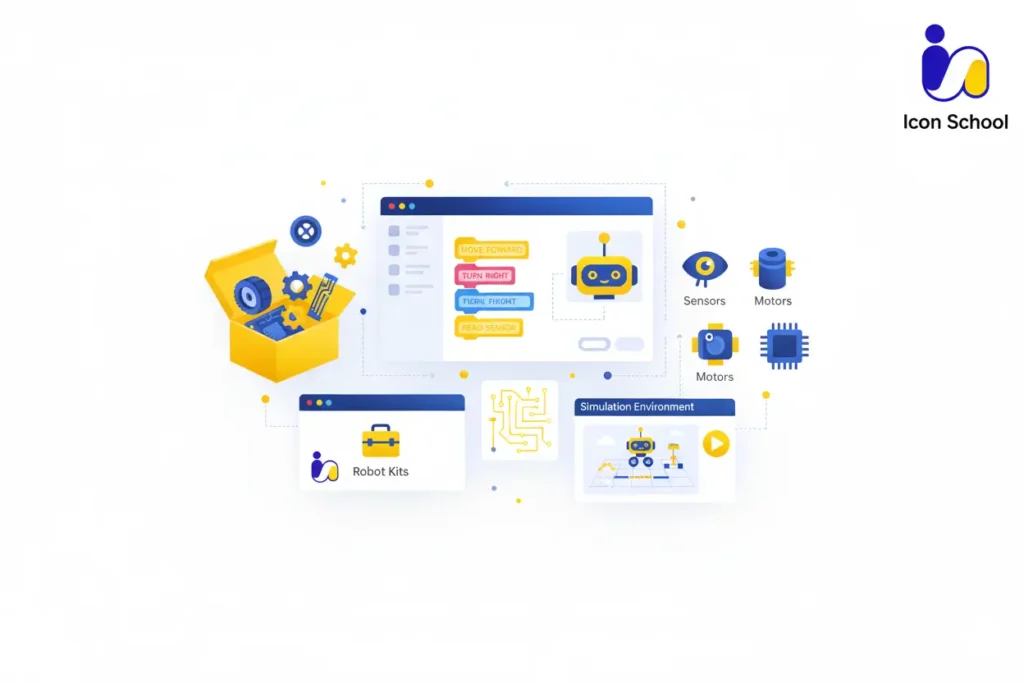
Educational Tools and Platforms
The right robotics for kids tools and platforms transform curiosity into practical skills. Choosing carefully ensures children engage meaningfully, learn efficiently, and gain confidence in both coding and engineering concepts.
Visual Programming Platforms
Visual programming platforms are ideal for introducing beginners to robotics. They focus on logic and sequence without overwhelming young learners with syntax.
- Block-based coding: Icon School lets children drag and drop commands to control robots easily.
- Interactive learning: Programs provide immediate feedback, showing how code changes impact robot behavior.
- Transition to text coding: Icon School allows moving from blocks to Python or Java, gradually introducing real programming skills.
- Gamified lessons: Kids remain motivated as challenges are presented in a game-like environment with rewards and progress tracking.
- STEM integration: Visual programming platforms link coding to math and logic concepts for practical application.
- Collaborative coding: Children can share projects and learn from peers globally, enhancing teamwork skills.
Building and Assembly Tools
Physical building tools allow children to see their programming translate into real-world action, reinforcing mechanical and engineering understanding.
- LEGO Education kits: Simple and modular, perfect for hands-on learning and creativity.
- VEX Robotics kits: Offer intermediate and advanced projects with real engineering challenges.
- Arduino starter kits: Introduce children to electronics, sensors, and microcontrollers in a controlled, safe environment.
- Snap-together components: Encourage experimentation and iterative learning as kids assemble, disassemble, and rebuild robots.
- Integration with programming: Kits designed for coding allow immediate testing of commands, reinforcing logic-to-action connections.
- STEM skill development: Building tools help children understand forces, motion, and structural stability while nurturing problem-solving abilities.
Simulation Environments
Simulation platforms provide safe, scalable spaces for children to experiment before working with physical robots.
- Virtual robots: Platforms allow coding experiments without risk of hardware damage.
- Scenario-based learning: Children practice programming in real-world scenarios, like navigating mazes or avoiding obstacles.
- Testing and debugging: Simulation encourages children to spot errors and iterate quickly, building critical thinking.
- Cross-platform integration: Simulations often sync with physical robots for seamless transition between virtual and hands-on coding.
- Engaging interface: Gamified simulations make learning robotics exciting while reinforcing concepts of logic, sequencing, and cause-effect.
- Safe experimentation: Children can test complex commands, learn from mistakes, and iterate repeatedly without wasting materials.
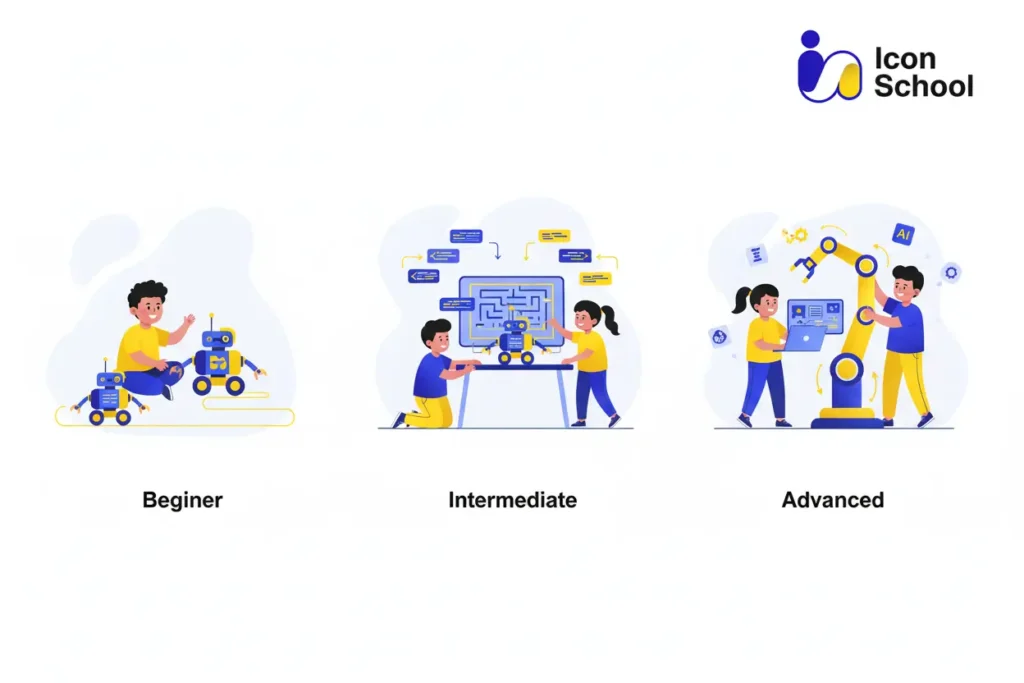
Practical Projects for Teaching Robotics
Hands-on projects are the heart of robotics for kids. They transform abstract concepts into visible results, build confidence, and make learning an active, enjoyable experience. Selecting the right project level ensures consistent growth while keeping children motivated.
Beginner Projects
Beginner projects focus on introducing programming and basic mechanical skills without overwhelming young learners.
- Line-following robot: Kids program a robot to follow a simple black line on paper, teaching sensor integration.
- Simple obstacle avoidance: Using touch or ultrasonic sensors, children learn basic conditional logic by programming robots to stop or turn.
- Light-responsive robot: Teaches how sensors detect environmental changes and trigger actions.
- Drawing robots: Kids program a robot to draw basic shapes, integrating creativity with movement control.
- Battery-powered assembly: Simple kits allow hands-on building and basic programming in one session.
- Interactive storytelling robot: Introduces programming through narrative actions, enhancing engagement and comprehension.
Intermediate Projects
Intermediate projects add complexity, encouraging problem-solving and teamwork.
- Maze-solving robots: Students design robots to navigate a maze, teaching path planning and iterative testing.
- Line-following with decision points: Robots make choices at intersections, introducing branching logic.
- Sensor-based pick-and-place: Combines mechanical skills and programming for object manipulation.
- Programmable robotic arms: Teach angles, rotations, and sequence control for precise tasks.
- Collaborative challenges: Pairs or small groups solve tasks together, enhancing communication skills.
- Gamified robotics: Create mini-games controlled by robots, blending coding, design, and fun.
Advanced Challenges
Advanced projects simulate real-world engineering, preparing teens for future STEM pathways.
- Autonomous navigation: Robots navigate complex environments using sensors and algorithms.
- Multi-robot collaboration: Coordinated robots complete tasks together, teaching teamwork and advanced programming.
- Robotic competitions: Students prepare for national or international contests, applying creative and technical skills.
- Real-world problem solving: Design robots to perform useful functions, e.g., delivery, sensing hazards, or assisting in daily tasks.
- Advanced programming integration: Use Python, Arduino IDE, or ROS for complex behaviors and automation.
- Portfolio projects: Teens document and showcase their projects for school applications or competitions.
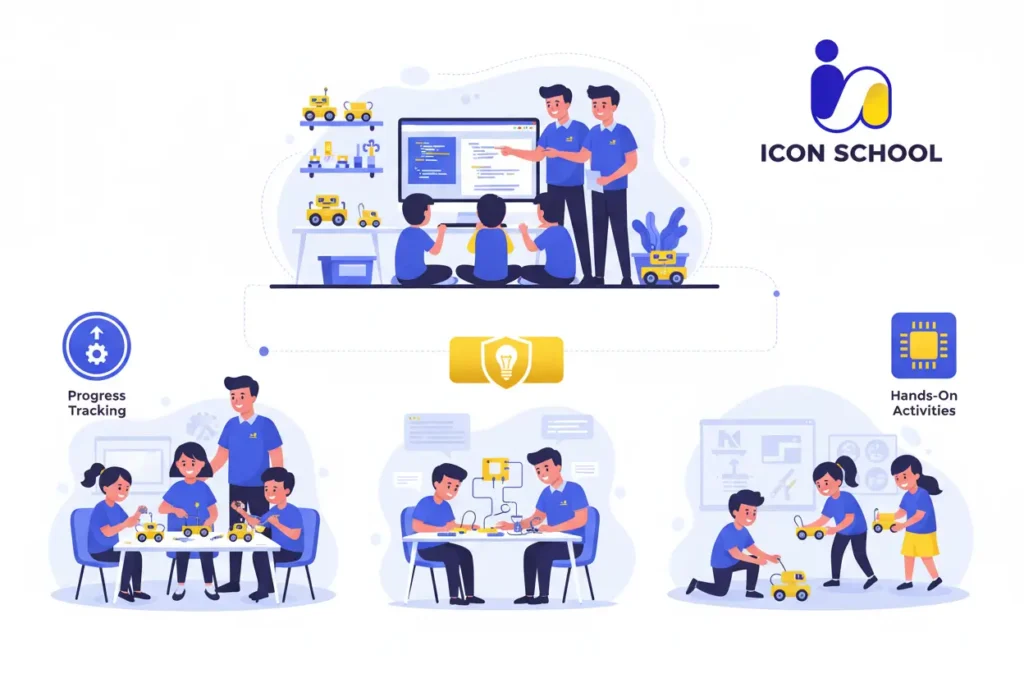
How Icon School Supports Your Child’s Robotics Journey
At Icon School, we transform curiosity into mastery. Our robotics for kids classes are carefully designed to give children practical skills, logical thinking, and the confidence to innovate. Every program ensures your child’s journey in robotics is structured, engaging, and aligned with real-world STEM skills.
Educational Programs and Pathways
Icon School provides tailored programs that match each child’s age, skill level, and learning pace.
- Age-specific tracks: Courses for ages 6–9, 10–13, and 14+ ensure content is appropriate and challenging.
- Structured progression: From beginner projects to advanced autonomous robotics, kids gradually develop coding, engineering, and problem-solving skills.
- Flexible pathways: Children can choose from visual programming, text-based coding, or hybrid learning according to their interests.
- STEM-integrated learning: Each program links robotics projects to math, science, and engineering concepts, reinforcing practical understanding.
- Project-based curriculum: Each milestone is achieved through hands-on projects, encouraging creativity and problem-solving.
- Portfolio development: Students document and showcase their projects, preparing them for competitions, school applications, and future STEM opportunities.
Interactive Curriculum and Practical Projects
Icon School emphasizes active learning through engaging, real-world projects.
- Hands-on robotics kits: Students assemble and program robots using kits.
- Coding integration: Projects combine visual programming for beginners and text-based languages for advanced learners.
- Incremental challenges: Tasks progress from simple movement to obstacle navigation, sensor integration, and autonomous behavior.
- Collaborative learning: Group projects foster teamwork, communication, and collective problem-solving skills.
- Creative customization: Students can decorate, modify, or enhance robots, blending creativity with technical skill.
- Gamified experiences: Lessons incorporate game-like challenges to boost motivation, engagement, and retention.
Continuous Support and Follow-up
Ongoing guidance ensures students remain confident and inspired throughout their robotics journey.
- Dedicated mentors: Experienced instructors provide step-by-step guidance for each project and coding challenge.
- Progress tracking: Parents receive regular updates on learning milestones, project completion, and skill development.
- Extra resources: Tutorials, coding exercises, and video guides supplement hands-on sessions.
- Problem-solving support: Mentors assist children in debugging and refining their projects, fostering resilience and critical thinking.
- Community engagement: Students join forums and group challenges to share ideas and learn collaboratively.
- Preparation for future pathways: Guidance on competitions, portfolios, and advanced STEM learning ensures children are career-ready.
Investing in robotics for kids is more than a hobby, it’s a strategic step toward developing critical thinking, creativity, and problem-solving skills that shape your child’s future. From beginner-friendly projects to advanced challenges, robotics empowers children to transform screen time into meaningful learning. So give your child the tools to thrive in a digital world. Enroll them in Icon School today and start building their bright tech future with hands-on robotics learning.