
Programming for Kids and Beginners: Where to Start
In today’s digital world, many parents worry that their children spend hours consuming content instead of creating it. Watching your child struggle to understand technology or feel frustrated with complex apps can be discouraging. But the good news is that Scratch programming for kids offers a playful, hands-on way for children to build games, animations, and interactive stories while developing critical thinking and problem-solving skills.
At Icon School, we guide every child step by step, turning curiosity into confidence. Enroll today and watch your child create, learn, and thrive.
What is Programming and Why Should Your Child Learn It?
In a world where our children often passively scroll through screens, programming offers a remarkable opportunity to shift them from consumers to creators. With the right guidance, such as that provided by Icon School, your child can start confidently crafting digital stories and games. Programming isn’t just another subject; it’s a bridge to creativity, logic, and a future-focused mindset.
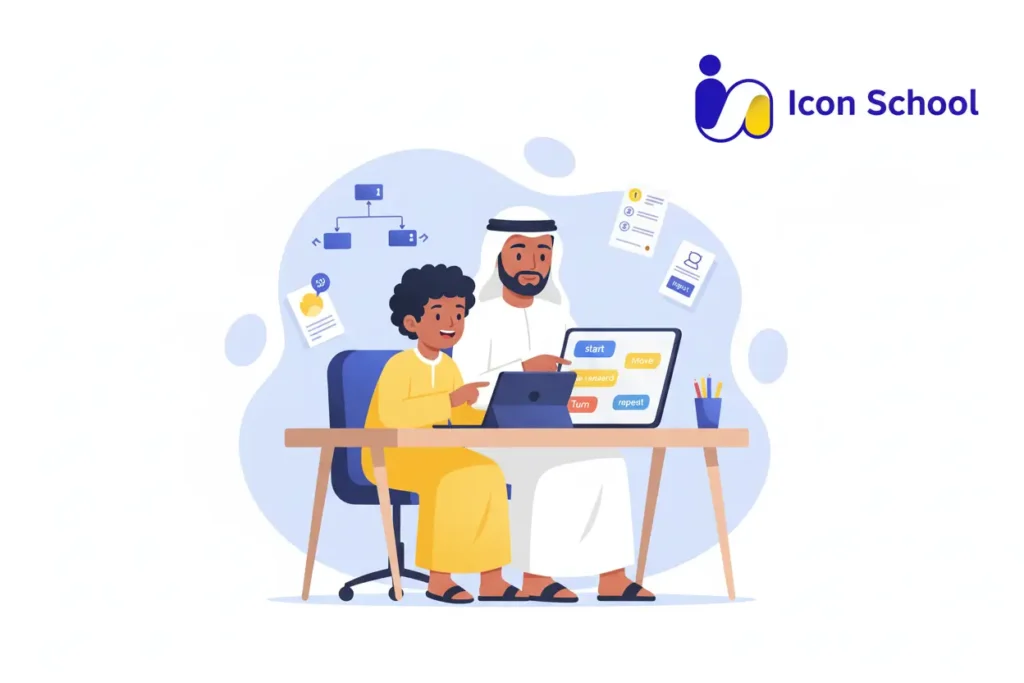
Programming Explained Simply
Programming is simply giving instructions to a computer to carry out tasks in a precise order. Through this process, your child becomes the builder of ideas, not just the user of apps.
- Step by step logic: Children learn to sequence commands and think about what happens next, which is a foundational computational thinking skill.
- Visual tools for beginners: Platforms with block-based coding allow kids to drag commands instead of typing complex syntax, making programming friendly and fun.
- From creation to sharing: learners move from building simple animations to publishing interactive projects, fostering pride and ownership.
- Immediate feedback loop: Kids see what happens when they change a block, helping them learn through trying, adjusting, and succeeding.
- Real-life relevance: Programming connects to tasks like controlling robots, apps, or animations, showing children that their ideas can become real.
- Safe creative playground: Rather than being limited to playing games, your child begins designing them, gaining confidence and a sense of achievement.
Learning Benefits for Kids
Introducing programming at a young age opens the door to a wide range of crucial skills that go far beyond writing code.
- Logical and critical thinking: Kids learn to decompose problems, analyze outcomes, and build solutions, strengthening cognitive thinking.
- Creativity and innovation: Through building games, animations, or interactive stories, children express ideas and explore possibilities they imagine.
- Persistence and resilience: Debugging teaches children that errors are part of learning, encouraging a mindset of “I can try again” rather than fear of failing.
- Math and academic support: Programming helps children understand logic, patterns, and sequences, which supports mathematics and science learning.
- Collaboration and communication: At schools like Icon School, children share projects, discuss ideas, and learn together, strengthening teamwork and verbal skills.
- Digital literacy and agency: In a digital age, programming empowers children to shape technology rather than be shaped by it, an idea supported in the latest research.
- Increased confidence: Finishing a coding project gives your child a tangible success to celebrate, building self-esteem and a willingness to explore more.
- Future awareness: By creating rather than consuming, children grasp how technology works, giving them a head start in a fast-evolving world.
Coding as a Future Proof Skill
In today’s rapidly changing digital landscape, programming is no longer a niche interest; it is becoming a foundational skill that prepares children for tomorrow.
- Beyond automation: Even as artificial intelligence advances, children who learn to code become thinkers and creators, not just users.
- Applicable across fields: Whether in art, medicine, business, or engineering, programming enables children to innovate and adapt.
- Competitive edge: In an era where digital literacy is as essential as reading and writing, coding gives children the tools to engage meaningfully.
- Creative empowerment: At Icon School, children aged 7 to 12 explore block-based coding like Scratch, build real projects, and develop a creative portfolio, not just pass tests.
- Long-term growth: Starting early builds the mindset to learn, adapt, and create qualities that serve any career or life path.
- Parent-friendly choice: For Egyptian parents seeking the best start for their children, Icon School offers tailored programs that combine fun, learning, and future readiness.
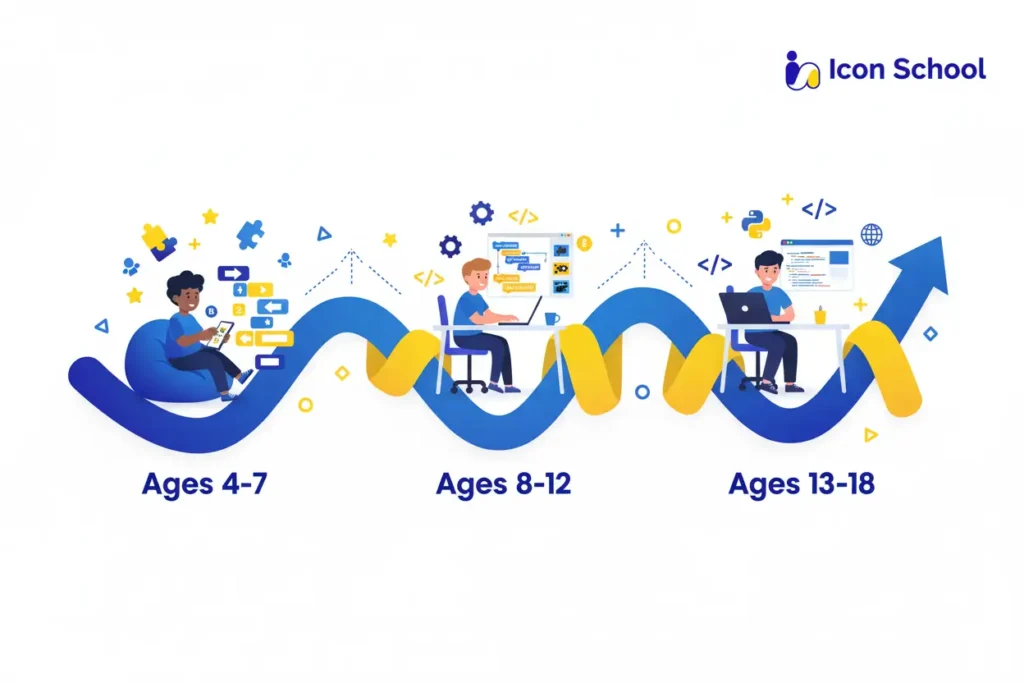
What’s the Right Age to Start Coding for Beginners Kids?
Deciding when your child should begin their coding journey is a meaningful step. Starting too early or too late can either lead to frustration or a missed opportunity. With the right age-appropriate approach at Icon School, your child embarks smoothly into programming, setting the stage for curiosity, creativity, and real digital results. Let’s explore the most effective age ranges and how we tailor our learning path.
Ages 4 to 7: Starting with Visual Coding and Play
At this stage, young children thrive on play, hands-on interaction, and visual storytelling. A visual block platform like ScratchJr or early-year tools helps them grasp sequencing, cause and effect, and simple logic without needing full literacy. At Icon School, we leverage playful activities, animations, and storytelling to build foundational skills and confidence.
- Introduce logic through play: Research shows children aged 4 to 6 can engage with coding activities that support computational thinking.
- Visual and tangible tools: Child-friendly programming kits enhance curiosity and reduce frustration at early ages.
- Focus on sequences and patterns: Kids learn to think in steps (if then), laying the groundwork for later conditional logic.
- Fostering creativity and confidence: At Icon School, children use block-coding to tell stories, build simple games, and share proud results, turning screen time into creation time.
- Parent involvement matters: At this young age, guidance from parents and teachers ensures the experience stays positive and growth-oriented.
Ages 8 to 12: Building Concepts through Projects
When children reach this age range, they are ready to deepen their understanding. They can handle more complex ideas, collaborate, and begin to make tangible digital creations.
At Icon School, we step up from play to structured project-based learning, often using Scratch for visual block-coding and creative expression. Research supports this phase as highly effective.
- Children at ages 8 to 12 can engage with platforms like Scratch to build games, animations, and interactive stories, which strengthens logical thinking and problem-solving.
- At this stage, kids absorb core coding concepts such as loops, conditions, and variables using visual blocks, which prepares them for text-based coding later.
- Our projects: students aged 8 to 12 might build their own mini-games, design story-based animations, or create interactive digital portfolios, giving tangible outcomes and reinforcing “I built this”.
- We also emphasize collaboration, Paired projects, sharing, and remixing to boost communication, reflection, and agency.
- For parents in Egypt, this is the sweet spot, your child is mature enough to focus, yet still excited by playful creation.
Ages 13 to 18: Moving to Text-Based Coding and Real Apps
Teen years bring cognitive growth, abstraction, and readiness for more serious programming languages. At Icon School, teens begin moving from block visuals to text-based coding such as Python, JavaScript, and simple app development, while still preserving creativity and project-driven learning.
- Research suggests that age 14 is an optimal time to introduce text-based programming because students have better attention to detail and understanding of multi-step logic.
- At this stage, children work on real-world style projects: web apps, mobile apps, and games, with the mindset of “I solved a problem.”
- Learning text-based code does not mean losing fun: Icon School keeps the principles of creativity, iteration, and sharing alive, bridging block-coding and professional tools.
- For parents, this means long-term investment: a teen who moves to text-based coding is being prepared not just for hobbies, but for potential higher education and future career paths.
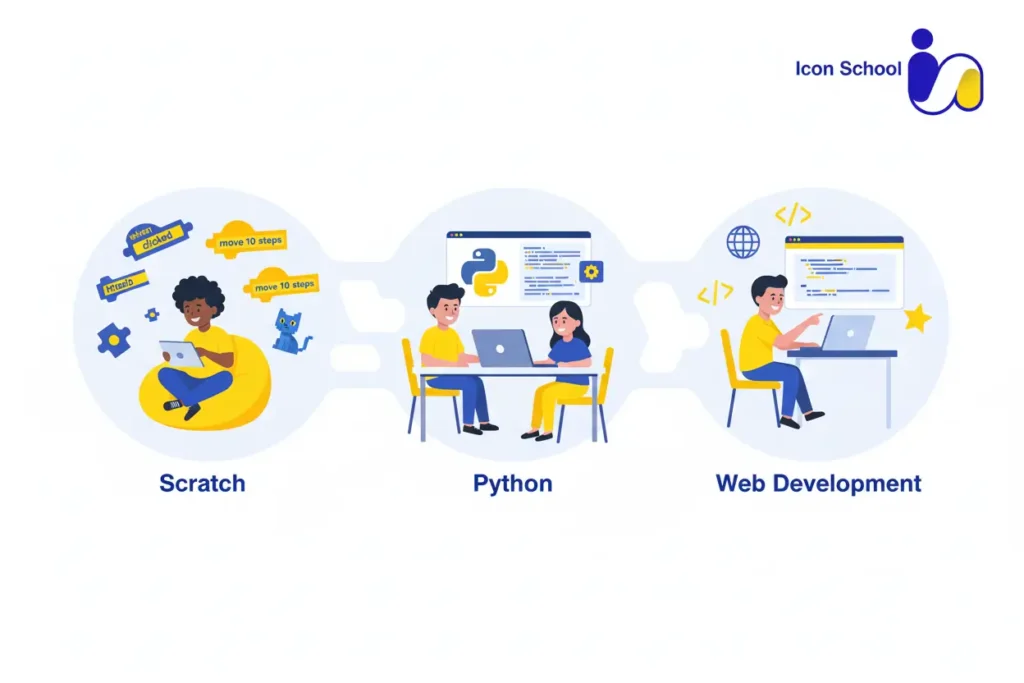
Best Programming Languages and Tools for Beginner Kids
Introducing children to programming requires selecting languages and tools that are fun, engaging, and educational. The right tools spark curiosity, teach logic, and provide tangible results that keep kids motivated.
Below, we outline the best programming languages and platforms for young learners, highlighting what makes each one ideal for different stages of coding development.
Scratch – The Ideal Start
Scratch is widely recognized as the perfect first language for beginners because it focuses on creativity and understanding logic without the burden of complex syntax.
- Visual, block-based interface: Children drag and drop blocks to create programs, eliminating typing errors and easing entry into coding.
- Interactive projects: Kids can build games, animations, and interactive stories that provide immediate feedback and satisfaction.
- Foundational coding concepts: Introduces loops, conditionals, event-driven logic, and variables in a visual, intuitive way.
- Encourages problem-solving: Debugging mistakes in Scratch helps children learn persistence and logical reasoning.
- Supports creativity and storytelling: Children can create personalized projects that reflect their ideas and imagination.
- Community sharing: Scratch’s online community allows kids to share, remix, and explore projects from other young programmers.
Python – Intuitive, Powerful, and Popular
Python is the next step for kids ready to move beyond block coding, It is beginner-friendly yet powerful enough to introduce real-world programming concepts.
- Readable syntax: Python’s clean and simple syntax allows kids to focus on logic instead of code structure.
- Project-based learning: Kids can create games, small applications, or automate simple tasks, giving immediate practical experience.
- Strengthens problem-solving: Writing Python code develops critical thinking, algorithmic reasoning, and debugging skills.
- Versatile applications: Python can be used for games, web development, and even data science, giving children exposure to multiple domains.
- Encourages persistence: Kids learn to iterate and refine their solutions, building resilience and a growth mindset.
Other Good Options
Besides Scratch and Python, several tools are excellent for expanding a child’s coding skills:
- Blockly: Google’s visual block-based coding environment that can translate to JavaScript or Python.
- Tynker: Offers gamified coding challenges that gradually transition from blocks to text-based code.
- Robotics kits: Combines programming with physical devices to teach STEM concepts hands-on.
- App Inventor: Lets older kids design mobile apps while learning logic and interface design.
- Micro:bit: Microcontroller-based kits that teach coding and electronics together.
- GameMaker and Unity (beginner mode): For teens ready to explore interactive 2D and 3D games.
- Swift Playgrounds: Introduces Apple’s Swift language in a playful and interactive environment for iPad users.
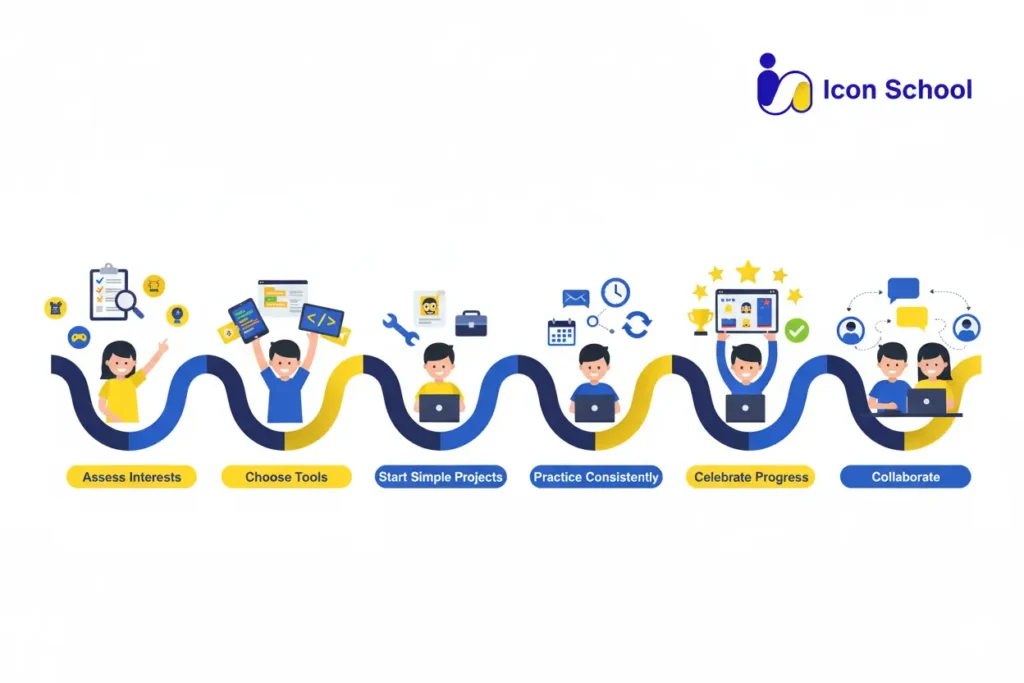
Practical Roadmap: Teaching Coding and Programming for Kids and Beginners
Embarking on a coding journey with your child can feel overwhelming. Where do you start?, with the right roadmap, your child goes from screen-time consumer to digital creator, building confidence step by step.
Below is a six-step practical path to guide parents in teaching coding and programming for beginners kids, helping them meaningfully progress while keeping the process fun and engaging.
Step 1: Assess Child’s Interests and Level
Understanding the starting point is crucial before diving in.
- Engage in a friendly conversation with your child about what they enjoy games, storytelling, robots, or animations and ask, “What would you like to build?”, This helps assess their interests.
- Observe their current digital skills level: Can they drag things on a screen easily?, Do they enjoy puzzle-type games? According to a 2025 parent’s guide, early assessment helps tailor learning to their pace.
- Use simple topics like, “Have you ever told a computer what to do?” to introduce the idea of programming as instructions rather than mysterious code.
- Determine attention span and preferred learning style: some kids like one-on-one, others prefer group or hands-on activities.
Step 2: Pick the Right Platform and Tools
Choosing the right platform is the next key step in teaching coding and programming for beginners kids.
- For younger children (ages 5 to 8), visual block-based tools that allow dragging and dropping help simplify the logic before diving into text.
- For older beginners (ages 8 to 12), consider platforms that offer both blocks and transition into text, allowing growth.
- Ensure the tool supports immediate feedback and project sharing; this keeps motivation high.
- Verify that the platform has age-appropriate curriculum, clear milestones, and safety for young users.
- Having chosen the right tool, set up a comfortable learning environment, accessible computer or tablet, minimal distractions, and a regular schedule.
Step 3: Start with Simple, Fun Projects
Fun projects keep kids motivated and make learning tangible.
- Begin with a small project like “make a sprite move,” “create an animation,” or “build a simple interactive story.” Immediate results matter.
- Break down the project into small steps: design, build, test, fix, and share. This reinforces problem-solving and iteration.
- Encourage your child to personalize the project: choose characters, backgrounds, or sounds that connect to their interests. Ownership increases engagement.
- Set clear, attainable goals for each session, for example, “Today we’ll make the sprite speak when clicked.” Celebrate when done.
- Use visuals and real-time feedback so your child sees cause and effect instantly, which is essential for beginners.
- Gradually increase complexity, once comfortable, add loops, conditions, and variables. But keep it fun, avoiding overstressing.
Step 4: Regular, Consistent Practice
Regularity beats intensity when teaching coding and programming for beginners kids.
- Agree on a schedule, for example, 30 to 40 minutes twice a week, rather than a long session once a month. Consistency builds habit and retention.
- Make it part of the routine: after homework, weekend morning, or a specific “coding time.”
- Keep sessions predictable but flexible; if a project is going well, let it run a little longer, but avoid burnout.
- Use short check-ins: “What did you build last time? What’s next?”, This helps maintain continuity.
- Encourage small daily reflections: “What could we change or improve?”, This nurtures reflective learning.
- Recognize that errors and failures are part of learning. Reflecting with the child: “What went wrong?, Let’s try a different block.” This builds resilience.
Step 5: Celebrate Progress
Recognition fuels motivation when teaching coding and programming for beginners kids.
- Display your child’s projects on the computer, share with family, or publish on safe platforms. Visible outcomes matter.
- Create a “coding achievements” board or a simple certificate: first animation, first loop, first variable used.
- Provide positive feedback, emphasizing the process (I loved how you fixed the bug) and not only the result.
- Share with peers or family; letting others play or review their creation gives real-world value.
- Encourage reflection: ask your child, “What part are you proud of?” This fosters metacognition and motivation.
Step 6: Foster Peer Collaboration
Coding doesn’t have to be solitary. Peer interaction enhances learning.
- Pair your child with a friend, sibling, or classmate to build a small project together, including division of tasks, shared ideas, and peer review.
- Encourage showing and remixing each other’s work; children learn from seeing others’ logic and creativity.
- Use coding clubs or online safe groups (monitored) where kids share, comment, and challenge each other.
- Collaborative tasks can include, “Design a mini-game with two characters” or “Add sound when one sprite touches another.”
- Collaboration promotes communication, teamwork, and debugging together, making coding more social and fun.
- Monitor and guide, ensure constructive feedback, encourage a positive tone, and reinforce learning from peers.
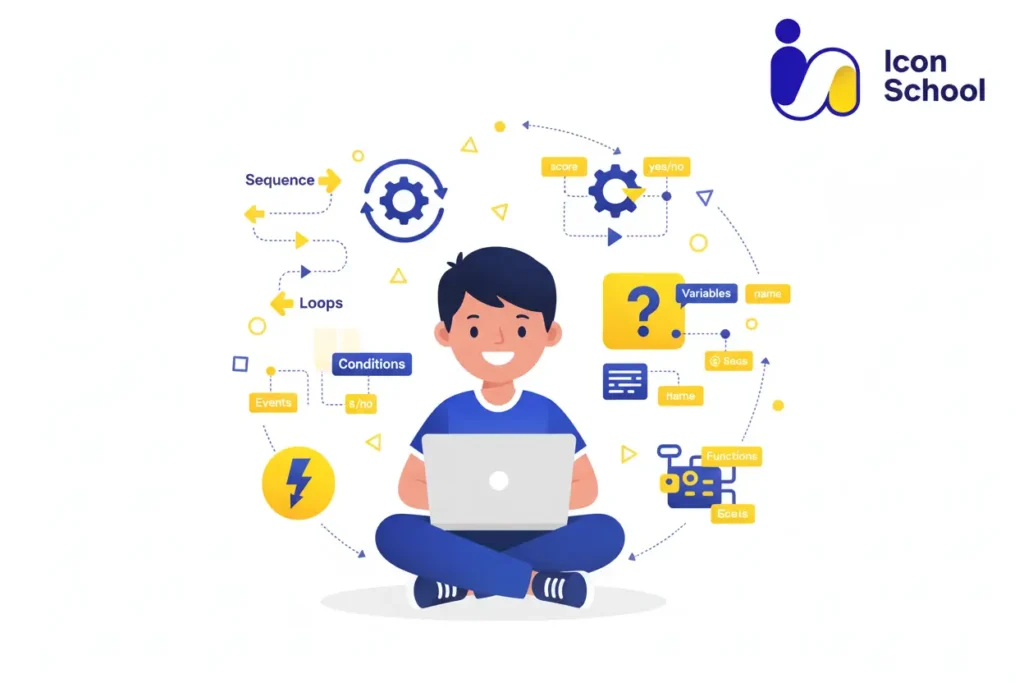
Essential Coding Concepts: The Fundamentals Every Child Should Grasp
Before mastering advanced tools or languages, children should first understand the core concepts that form the foundation of all programming. These concepts help them think logically, solve problems creatively, and build the mindset of a true digital creator.
- Algorithms – Step-by-Step Thinking: Coding begins with algorithms, which are clear sets of instructions to achieve a goal. For example, “draw a square” can be broken into smaller steps: move forward, turn right, repeat four times. This teaches children how to organize their thoughts logically and plan before they act.
- Sequencing – The Order of Actions Matters: Children learn that the order of commands affects the result. Whether animating a character or running a game, sequencing ensures actions happen in the right flow, teaching precision and attention to detail.
- Loops – Smart Repetition: Instead of repeating the same command, loops tell the computer to “do it again.” This builds efficiency and shows kids how to simplify complex tasks through repetition.
- Conditionals – If/Then Logic: “If the sprite touches the apple, then play a sound.” Conditional statements introduce cause-and-effect thinking, helping children understand how programs make decisions, a vital step toward computational reasoning.
- Variables – Remembering Information: Variables act like labeled boxes that store data, such as a player’s score or speed. Kids learn how computers track information, strengthening their understanding of data and memory.
- Events – Cause and Trigger: Pressing a key or clicking a sprite triggers an event. Kids discover that every digital interaction has a cause and effect, connecting programming to everyday digital experiences.
- Debugging – Learning Through Mistakes: Debugging teaches persistence and problem-solving by finding and fixing errors. Children realize that mistakes are not failures but essential steps toward improvement.
How to Choose the Best Learning Platform or Course
In today’s fast-paced digital world, teaching kids how to code has become just as important as teaching them how to read or write. But with so many online platforms and courses available, choosing the right one for your child can be challenging. Parents often wonder, which platform truly helps kids understand coding, not just memorize commands?. The answer lies in knowing what features to look for and how those features impact your child’s learning experience.
Here are the essential factors to consider when choosing the best coding platform or course for your child:
- Age-Appropriate Curriculum: A strong platform adapts its lessons to each age group. Young learners should start with visual, drag-and-drop tools like Scratch to understand logic and sequencing. As they grow, they can move to text-based programming languages such as Python or JavaScript. This progression helps children build confidence and master new skills naturally.
- Interactive and Project-Based Learning: Kids learn best by doing. The ideal course includes fun projects, coding challenges, and real-world applications that let children create their own games, apps, or animations. This not only makes learning enjoyable but also helps solidify abstract coding concepts through hands-on experience.
- Qualified and Supportive Instructors: Great teachers make all the difference. Look for a platform that offers live sessions or mentor support, where experienced instructors guide kids through their learning journey, answer questions, and provide feedback that keeps them motivated and confident.
- Structured Skill Progression: A high-quality course should provide a clear roadmap from beginner to advanced levels, so children can track their progress and see measurable improvement. Gradual learning ensures they don’t feel lost or overwhelmed as concepts become more complex.
- Safe and Supportive Environment: The best platforms ensure a child-friendly, distraction-free space where kids can learn safely and confidently. They also encourage creativity, teamwork, and independent thinking.
Parent Tips: Supporting Coding and Programming for Beginners Kids
Helping your child start coding doesn’t require you to be a tech expert. What matters most is your support, encouragement, and curiosity, Here’s how you can make the journey fun, effective, and confidence-building for your child:
- Start with Encouragement, Not Pressure: Children thrive when learning feels playful, not stressful. Celebrate small wins, show excitement for their projects, and remind them that mistakes are part of learning. That’s how real programmers grow confidence and problem-solving skills.
- Choose the Right Tools for Their Age: Younger kids (4 to 7) benefit from visual platforms like ScratchJr or Tynker Junior, while older ones (8 to 12) enjoy creative tools like Scratch or Code.org. Teens (13 to 18) can explore Python or JavaScript for real-world projects that keep them inspired.
- Set Consistent Learning Routines: Short, regular sessions build discipline better than long, irregular ones. Even 30 minutes twice a week helps your child retain concepts while avoiding frustration or burnout, keeping coding a fun and steady part of their week.
- Encourage Creativity Over Memorization: Let your child create projects inspired by what they love, a favorite game, cartoon, or story, so coding feels meaningful. This creative ownership turns coding from rote learning into an exciting form of digital self-expression.
- Learn Together: Join your child on their learning journey. Watch tutorials, ask questions, and explore platforms like Icon School together. This strengthens your bond, boosts motivation, and makes the learning process more enjoyable for both of you.
- Connect Coding to Real Life: Show how programming powers everyday things like apps, robots, and websites. This real-world perspective helps kids understand coding’s value and sparks curiosity about how technology shapes the world around them.
- Celebrate Milestones and Achievements: Display their projects, share them with family, or reward progress with small recognition. Celebrating each step keeps your child motivated and reinforces their sense of pride and accomplishment.
- Join a Supportive Learning Community: Enroll your child in interactive programs like Icon School, where mentorship, teamwork, and hands-on projects make coding social and engaging. This builds confidence, collaboration, and a lifelong love for learning.
Coding is more than a tech skill; it’s a gateway to creativity, confidence, and a brighter future. With Icon School, your child learns by creating, experimenting, and thinking like a real innovator. Give them the tools to build their digital future today. Start early, learn smart, and watch your child grow from a tech user into a confident digital creator.